
What are the free DIY (Do-it-Yourself) tools I use myself to optimize for SEO?
I only recommend resources or services that I use/d myself
My preferred audience for this post is the Web savvy
- blogger
- social media
- and search user
Thus I also decided to share SEO related tools that will enable you to do SEO on your own for free ideally.
You probably want to do several aspects of SEO yourself:
- keyword research
- website optimization (on page SEO)
- link building
- search rankings monitoring
Below I introduce to you the most essential DIY SEO resources you need!
Please take note that those often also offer premium features that are paid!
When using those just some limited features are free.
1. Keyword Research

I have a dedicated guide on using free tools for niche keyword research.
Thus here I will only mention some of them I use most often.
Google Trends is a great place to start to find out about demand in general.
Then tools like Ubersuggest and Semrush let you check some keywords for free.
Yet others like Seobility or Twinword Ideas will allow you to look up way more.
Add to it AlsoAsked and you may have found low hanging fruit to optimize your content for already.
2. Website Optimization
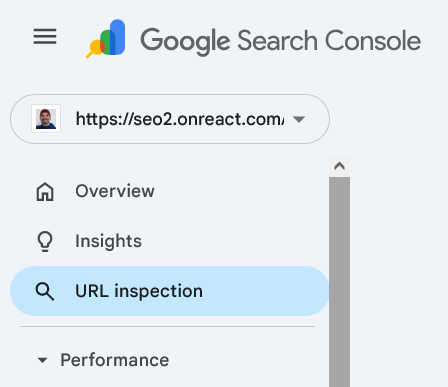
Of course Google Search Console is the place to start when you check your website.
The above mentioned Ubersuggest and Semrush will also provide website audit features.
Yet they often add redundant “errors” or mistakes that are not really relevant or sometimes misleading.
When it comes to website speed Pingdom Tools are my all-time favorite!
You may want to start with Google’s PageSpeed Insights though. Yet I find them a bit confusing.
To limit the amount of resource hogs and privacy invasions I also use uBlock Origin (on Firefox) and Privacy Badger.
Ads and tracking scripts usually slow down websites, clutter them and annoy users.
3. Link building
Link building or rather attracting links is nothing you should automate.
What you can do though is look up links from competitors e.g.!
Then Ubersuggest or Semrush are your friends again!
Please note that Semrush finds a lot of non-existent or spammy links that do not matter.
It often marks them as toxic. You can ignore that!
Ahrefs was better at locating real links for my blog here yet it only shows a few of them for free.
You can also simply check broken links on third party sites you want to get a link from!
SEO crawlers like Screaming Frog SEO Spider allow this for free up to a certain limit.
Yet there are completely free ones like the ones I used for the linked article above: BeamUsUp and Greenflare.
While the Greenflare site is down by now you can still download and install the tool from Github (under Code > Download ZIP).
Take note that Ahrefs Free (formerly Webmaster Tools) also offers some free SEO crawler features.
It comes with a generous limit of 5000 crawled pages per month.
I haven’t tested it yet so I can’t really recommend it but it sounds good on paper.
Ideally you look up who links to sites similar to yours.
Then you approach them that you offer something like that but better!
4. Search rankings monitoring
While rankings are less and less reliable it’s still a good idea to know where Google shows you.
Google Search Console is also a great starting point to check keyword rankings!
Just open your property once set up and visit under “Performance” the menu item “Search results”.
Make sure to check the “Average position” checkmark to view them!
The data is a bit limited for privacy reasons.
Yet GSC allows you a quick overview of how you perform in search results.
Again Ubersuggest and Semrush let you monitor some rankings for free.
Most ranking check tools are premium by default in contrast.
Unless you’re a full time SEO you don’t need to pay for those IMHO.
As a blogger etc. free tools are enough for most hobbyists.
Ubersuggest let’s you check up to 20 keywords per project.
That’s enough to check the ones you focus on and care about most.
The above mentioned Seobility also let’s you check up to 10 keywords for free.
Do these free SEO tools suffice? It depends!
These free products and services allow to engage in do-it-yourself SEO and to prosper with your website or blog.
Believe in yourself! You can optimize, improve and fix your site yourself.
DIY SEO is not difficult in case you know the basics of how Google works. Just try it.
You do not always need an SEO consultant
You are not Web savvy at all or you work in a very competitive market? Then consider asking for help!
In many cases do it yourself SEO will be sufficient – at least I’d attempt it first.
I needed months and years to gather all that knowledge. Yet you can learn SEO much faster using these resources.
That’s my goal: to create additional value for you by recommending those products and services.
Do these free SEO tools suffice? It depends!
So you are venturing beyond your own site?
Want to optimize for others?
Then some paid or premium tools might be needed!
Then you can just upgrade your Ubersuggest or Semrush account IMHO.
Related posts:
Suffering from HCU? Holy Cow! Helpful Content System Agony
Social SEO Metrics to Use Instead of Website Traffic
Is This the Best Affordable Semrush + Ahrefs Alternative for Small Business?
The 10 Most Obvious Benefits of X/Twitter for Business
Down-to-Earth Nonprofit SEO Approach: Advice and Resources
Why SEO is Dead Serious: Google Hates Humor! #seohorrorstories
What the Heaven is Paradise SEO? The Garden Eden of Natural Links
Is Topical Authority an SEO Hype or the AI Content Crap Savior?
SEO Works! How? Step by Step + Project Examples